QuickBooks Online and Xero export
Invoicing that exports to QuickBooks Online or Xero
Invoice clients in InvoiceQuickly and keep your books where they are. On Business ($19/month), an owner or admin connects your QuickBooks Online company or Xero organisation, maps accounts, items and tax rates, then reviews and exports selected invoices with their clients. On Pro ($9/month), you hand your bookkeeper a CSV instead. The ledger, bank reconciliation and tax filing stay in your accounting software, and payments are never sent to it.
Business is $19/month and Pro is $9/month; compare plans. Invoicing and payment tracking work on every plan, including Free.
Integrations: Accounting
Business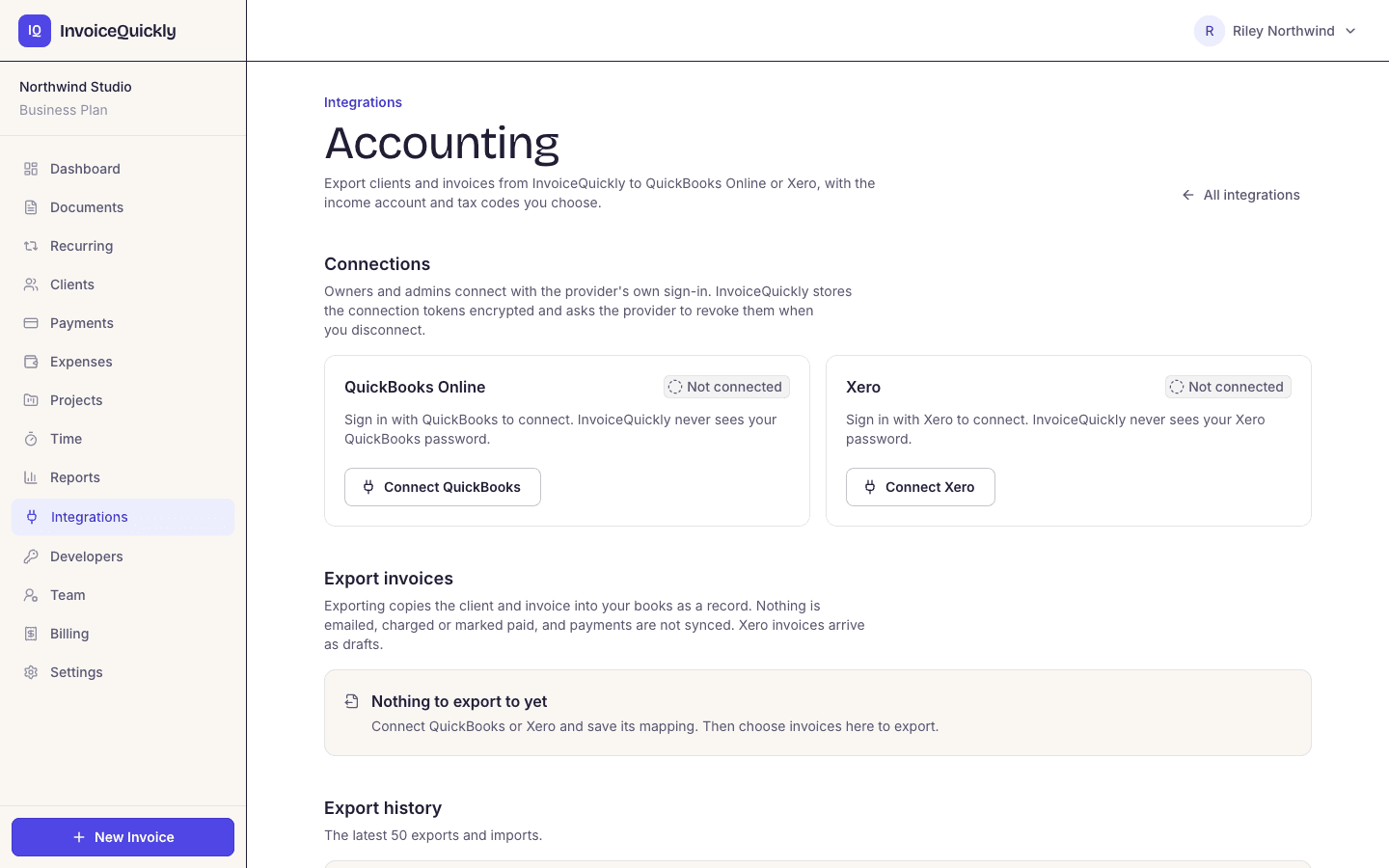
- QuickBooks Online and Xero export (Business)
- You choose which invoices go, and when
- Invoice CSV export for your bookkeeper (Pro)
- Payments are never sent to your books
The difference
What stays in your accounting software?
InvoiceQuickly records one side of the business: what you billed and what you were paid for it. Your accounting software keeps everything else that moves money and turns it into financial statements. The accounting basics hub explains the split and the cash and accrual methods in more depth.
| Job | InvoiceQuickly | Accounting software |
|---|---|---|
| Create and send invoices | Yes. Email sending is on Pro. | Usually yes |
| Record full and partial payments | Yes, every plan | Yes |
| Show what clients still owe | Yes: an "Outstanding" total on the dashboard, and an aging report per currency on Pro | Yes, usually with an aging report |
| Estimates and credit notes | Yes, on Pro | Usually yes |
| Record expenses and supplier bills | Expenses, on Pro, which you can bill to a client. They are not exported to your books, and there are no supplier bills. | Yes |
| Bank feeds and reconciliation | No | Yes |
| Chart of accounts and double-entry ledger | No | Yes |
| Profit and loss, balance sheet, cash flow statement | No | Yes |
| Sales tax or VAT returns | No. One tax percentage per invoice, no filing. | Often, depending on country |
| Payroll | No | Some products, often as an add-on |
Scroll sideways to see every column.
Financial statements need your full costs and bank balances. InvoiceQuickly records the expenses you enter on Pro, but it has no bank balances or ledger, so it does not produce them.
Connections
Does InvoiceQuickly connect to QuickBooks or Xero?
Yes, on Business. An owner or admin connects your own QuickBooks Online company or Xero organisation, then exports the invoices they select after reviewing them. On Pro, your invoice data leaves InvoiceQuickly as a CSV that your bookkeeper works from or imports, within the import limits below.
QuickBooks Online and Xero export
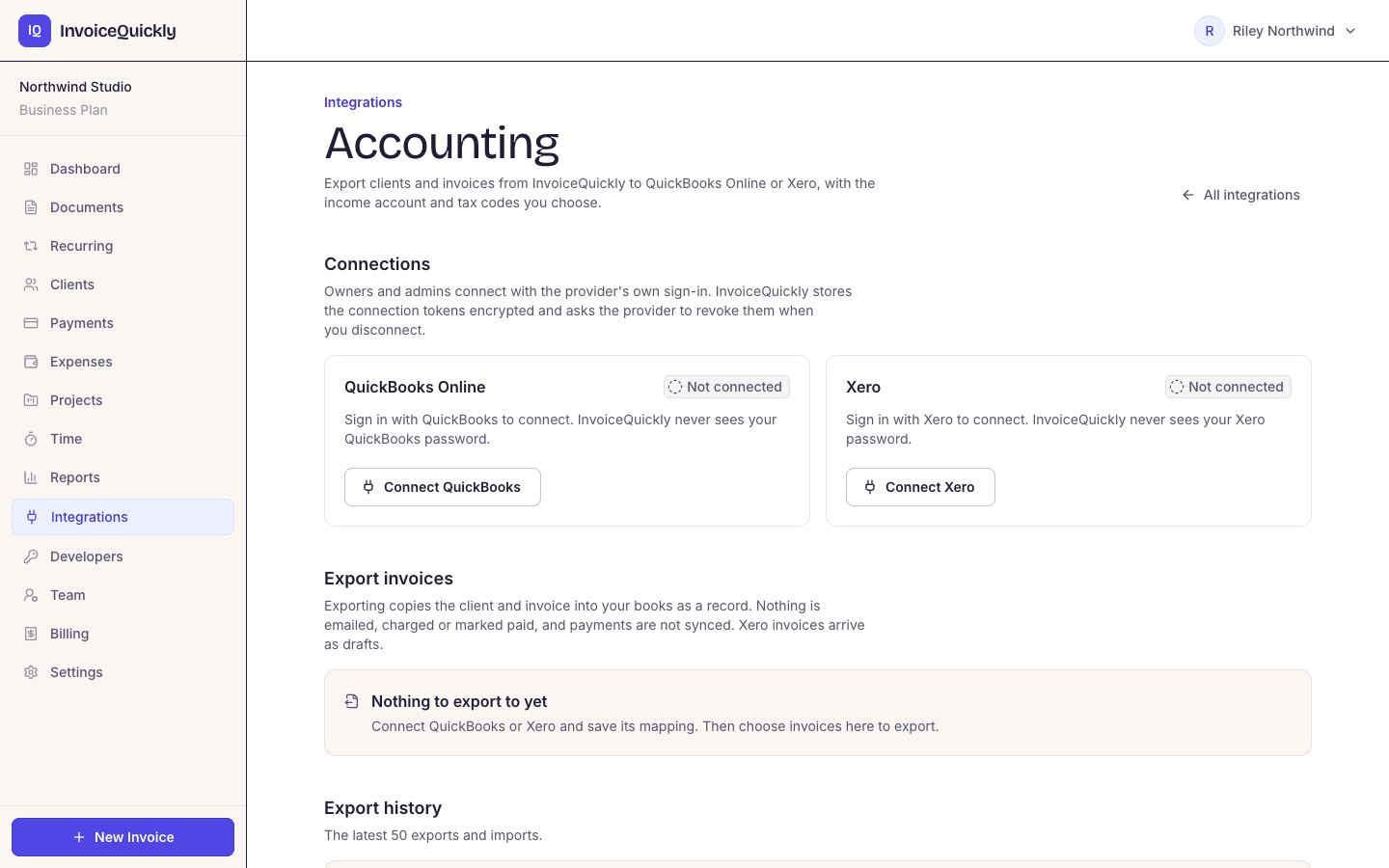
Business- Choose the income account or item and the tax rate for each rate you use, then export selected invoices. Each invoice's client goes across as a QuickBooks customer or Xero contact, a re-export updates the same invoice, and the export history shows the latest 50 entries. Details: QuickBooks Online and Xero.
What the export never does
Business- It never sends an invoice, emails your client, charges anyone or copies payments, and nothing comes back from your accounting software. It runs only when you export. Estimates, credit notes and cancelled invoices stay out, and an invoice with payments already applied in QuickBooks or Xero is left unchanged.
Public API
Pro- Pro and Business can create scoped API keys to read and create clients and invoices and to read payments, at 60 requests a minute per key. There are no outbound webhooks, so other tools check list endpoints for new records.
Invoice CSV export
Pro- The invoice list downloads every document in your account as one spreadsheet. Your bookkeeper can work from it, or you can import it into your accounting software yourself.
PDF per invoice
All plans- PDFs download one invoice at a time, for your bookkeeper or your records; there is no bulk PDF export.
Stripe and PayPal payments
Pro- Clients pay through your own Stripe or PayPal account, and the payment is recorded on the invoice when the provider confirms it. InvoiceQuickly records the payment amount, not the processor fee or payout, so your bookkeeper takes those from Stripe or PayPal. Payments are not part of the QuickBooks Online or Xero export either.
There is no Sage connection on any plan. For other accounting software, use the Pro CSV export.
The CSV export
What's in the InvoiceQuickly CSV export?
On Pro and Business, the invoice list downloads one row per document, with these 13 columns.
| Column | What it contains | Watch out for |
|---|---|---|
| Invoice Number | INV-0041, EST-0001, CN-0001 | Estimates and credit notes are in the same file |
| Status | draft, sent, viewed, overdue, paid, cancelled (estimates and credit notes have their own statuses) | "paid" can mean settled by a credit note, not cash |
| Client, Client Email | Client name and email | |
| Issue Date, Due Date | YYYY-MM-DD | |
| Currency | USD, EUR and so on | Don't add rows in different currencies together |
| Subtotal, Tax, Discount, Total | Amounts for the document | Tax is one rate on the discounted subtotal |
| Paid At | Date the invoice was fully settled | Blank for partly paid invoices |
| Payment Link | Stripe or PayPal link, if one was created |
Scroll sideways to see every column.
There is no amount-paid or balance column. A partly paid invoice shows its full total and an empty Paid At. Amounts and dates for those payments come from the payments you recorded in InvoiceQuickly.
Worked example
A month-end handoff to your bookkeeper
Without the Business connection, the CSV is the handoff. Say your October export contains these six rows (columns trimmed).
| Invoice Number | Status | Client | Issue Date | Subtotal | Discount | Tax | Total | Paid At |
|---|---|---|---|---|---|---|---|---|
| INV-0040 | paid | Acme Ltd | 2026-10-02 | 1,500.00 | 0.00 | 0.00 | 1,500.00 | 2026-10-20 |
| INV-0041 | sent | Bluebird Co | 2026-10-09 | 2,000.00 | 100.00 | 152.00 | 2,052.00 | |
| EST-0001 | accepted | Bluebird Co | 2026-10-12 | 3,000.00 | 0.00 | 0.00 | 3,000.00 | |
| INV-0042 | sent | Cobalt LLC | 2026-10-20 | 800.00 | 0.00 | 0.00 | 800.00 | |
| CN-0001 | draft | Bluebird Co | 2026-10-24 | 200.00 | 0.00 | 0.00 | 200.00 | |
| INV-0043 | cancelled | Delta Inc | 2026-10-28 | 600.00 | 0.00 | 0.00 | 600.00 |
Scroll sideways to see every column.
What your bookkeeper receives: the CSV, a four-line summary ($4,352.00 invoiced, $152.00 of it tax, $1,800.00 received, one $200.00 credit note) and the PDFs for any invoice they want to see.
Step by step
How to turn the export into that summary
Step 1: Sort the rows by prefix
Keep the INV rows. Set EST-0001 aside: an estimate is not a sale. Set CN-0001 aside to send separately. Drop INV-0043, which was cancelled.
Step 2: Total the invoices issued
INV-0040, INV-0041 and INV-0042 give a subtotal of $4,300.00, less a $100.00 discount, plus $152.00 tax, for $4,352.00 invoiced in October. INV-0041's tax is 8% of its discounted $1,900.00.
Step 3: List the payments
The export shows INV-0040 paid in full on 20 October. It doesn't show that Cobalt paid $300.00 of INV-0042 on 25 October, because the invoice isn't fully paid. Add it from the payments you recorded in InvoiceQuickly.
Step 4: Explain the credit note
CN-0001 credits $200.00 against Bluebird's INV-0041. InvoiceQuickly issues credit notes as a single line with the saved tax rate, so the bookkeeper needs to know whether the $200.00 includes tax. If the credit had settled the invoice in full, INV-0041 would show "paid" even though no cash arrived.
Step 5: Keep the document sequences clear
New invoices, estimates and credit notes use separate counters. Keep any explanation for historical gaps and number changes with the export; existing documents are not renumbered.
Importing
Can you import the CSV into QuickBooks Online or Xero yourself?
Sometimes, with limits set by those products, not by InvoiceQuickly. On Business you can skip the file and export invoices directly; on Pro, the CSV import works like this as of 28 October 2026:
QuickBooks Online. Intuit's help article Import multiple invoices at once requires a .csv file with invoice number, customer, invoice date, due date and item amount. It allows up to 1,000 rows and 100 invoices per import, rejects negative amounts such as discounts and credit memos, and doesn't allow this import if sales tax is set up in your QuickBooks account. Discounted or taxed InvoiceQuickly invoices may need entering by hand or as a summary. The QuickBooks Online page covers the Business export as well.
Xero. Xero's help article Import customer invoices says the only required columns are ContactName and InvoiceNumber, so you would rename and rearrange the InvoiceQuickly columns to Xero's template first. The Xero page covers the Business export as well.
Many bookkeepers skip the import and post a monthly summary from the figures in the worked example. Ask yours which they prefer before you reshape any files.
Choosing
Which setup fits your business?
| Your situation | Setup | Why |
|---|---|---|
| Freelancer, few costs, accountant does the year-end | InvoiceQuickly Pro, with costs in its expense log or a spreadsheet | Cheapest; the accountant works from your CSV and statements |
| Bookkeeper works in QuickBooks Online or Xero | InvoiceQuickly Business, exporting reviewed invoices to their company or organisation | No file to reshape; they still record payments in the accounting software |
| Bookkeeper uses other software, such as Sage | InvoiceQuickly Pro and a monthly CSV handoff, as above | There is no Sage connection |
| You do your own books and want one system | Accounting software with built-in invoicing | No handoff at all. InvoiceQuickly would be a second tool. |
| Invoices and payments must reach the ledger with no clicks | Accounting software with built-in invoicing | InvoiceQuickly exports invoices only when you choose to, and never sends payments |
Scroll sideways to see every column.
For the vocabulary behind these choices, see accounting basics for freelancers, the general ledger and double-entry bookkeeping glossary entries, and the accounting basics hub, which covers cash versus accrual dates and how long to keep records.
Fit
When InvoiceQuickly is the wrong choice
A good fit when
You need to send invoices and know who hasn't paid, and an accountant or bookkeeper keeps the books.
A monthly CSV is enough for your bookkeeper (Pro), or they work in QuickBooks Online or Xero and you're happy to review each export (Business).
Look elsewhere when
You want to stop paying for two tools. If you already pay for QuickBooks Online or Xero, their invoicing may be enough, and keeping everything in one ledger avoids the monthly handoff.
Your bookkeeper needs a live feed. The Business export runs when you choose, goes one way, and never sends payments, so it is not a live ledger connection.
You're on the Free plan. CSV export is on Pro ($9 a month) and the QuickBooks Online and Xero export on Business ($19 a month). On Free, your bookkeeper would work from individual PDFs.
You need VAT or GST returns prepared or filed. New invoice PDFs copy saved tax IDs, but InvoiceQuickly does not prepare or submit tax returns.
Not sure which setup fits? Tell us which accounting software you use and what your bookkeeper needs: invoices only, payments too, or clients.
Keep exploring
Payments, product pages and accounting resources
Payments and accounting resources
Stripe payment links
Clients pay through your own Stripe account, on Pro.
PayPal payment links
Clients pay through your own PayPal account, on Pro.
QuickBooks Online
Export reviewed invoices and their customers, on Business.
Xero
Export reviewed invoices and their contacts, on Business.
Accounting basics hub
Cash or accrual, record keeping and bookkeeping terms.
Product
How it works
Draft, review, send and track invoices.
Plans and limits
CSV export on Pro at $9/month; QuickBooks Online and Xero on Business at $19/month.
Every feature, by plan
What's included on Free, Pro and Business.
Invoice and payment reports
Reports on invoices, payments, expenses and time, with aging, on Pro.
Expense tracking
Record expenses and bill them to clients, on Pro.
Invoicing software
The core invoicing workflow, and invoicing app or accounting suite?
Estimates and quotes
Estimates stay out of the export until they become invoices.
Contact
Tell us which accounting software you use.
Questions
Frequently asked questions
Is InvoiceQuickly accounting software?
No. InvoiceQuickly is invoicing software: it creates invoices, estimates and credit notes, records payments and shows what is outstanding. Pro adds expenses, time tracking, reports and a CSV export; Business adds a reviewed export of invoices to QuickBooks Online or Xero. It has no ledger, bank reconciliation or financial statements.
Can InvoiceQuickly replace QuickBooks or Xero?
Only if all you need is invoicing and payment tracking. If you need a profit and loss statement, bank reconciliation or tax returns, keep accounting software or an accountant. Business exports reviewed invoices to QuickBooks Online or Xero, and the Pro CSV export works with any accounting software.
Does InvoiceQuickly export to Excel?
It exports CSV, which opens in Excel, Google Sheets and Numbers. There is no native .xlsx file. CSV export is on the Pro plan.
Does the QuickBooks Online or Xero export send payments or emails?
No. On Business, an export creates or updates the invoice and its customer or contact in QuickBooks Online or Xero. It never sends the invoice, emails your client, charges anyone or copies payments, so payments are recorded in your accounting software. An invoice that already has payments applied there is not changed.
Which plan do I need for the QuickBooks Online or Xero export?
Business, at $19/month. An owner or admin connects the QuickBooks Online company or Xero organisation and reviews each export. Pro at $9/month includes the invoice CSV export instead, and Free covers invoicing and payment tracking for 5 invoices.
Keep invoicing simple, and hand clean data to your books.
Business at $19/month exports reviewed invoices to QuickBooks Online or Xero. Pro at $9/month adds the CSV export your bookkeeper works from.
Start with BusinessNot ready to connect your books? Try free first with 5 invoices and no card.